Finds updates everywhere
Not just the App Store. Uptend knows apps you downloaded directly, installed with Homebrew, or got from the Mac App Store — and watches each one's own release feed.
Uptend checks the apps you installed from anywhere — direct downloads, Homebrew and the App Store — and tells you the moment a new version ships. It even tells you which apps are ready for macOS 28.
macOS 14 Sonoma or later · Apple silicon & Intel · 14-day free Pro trial
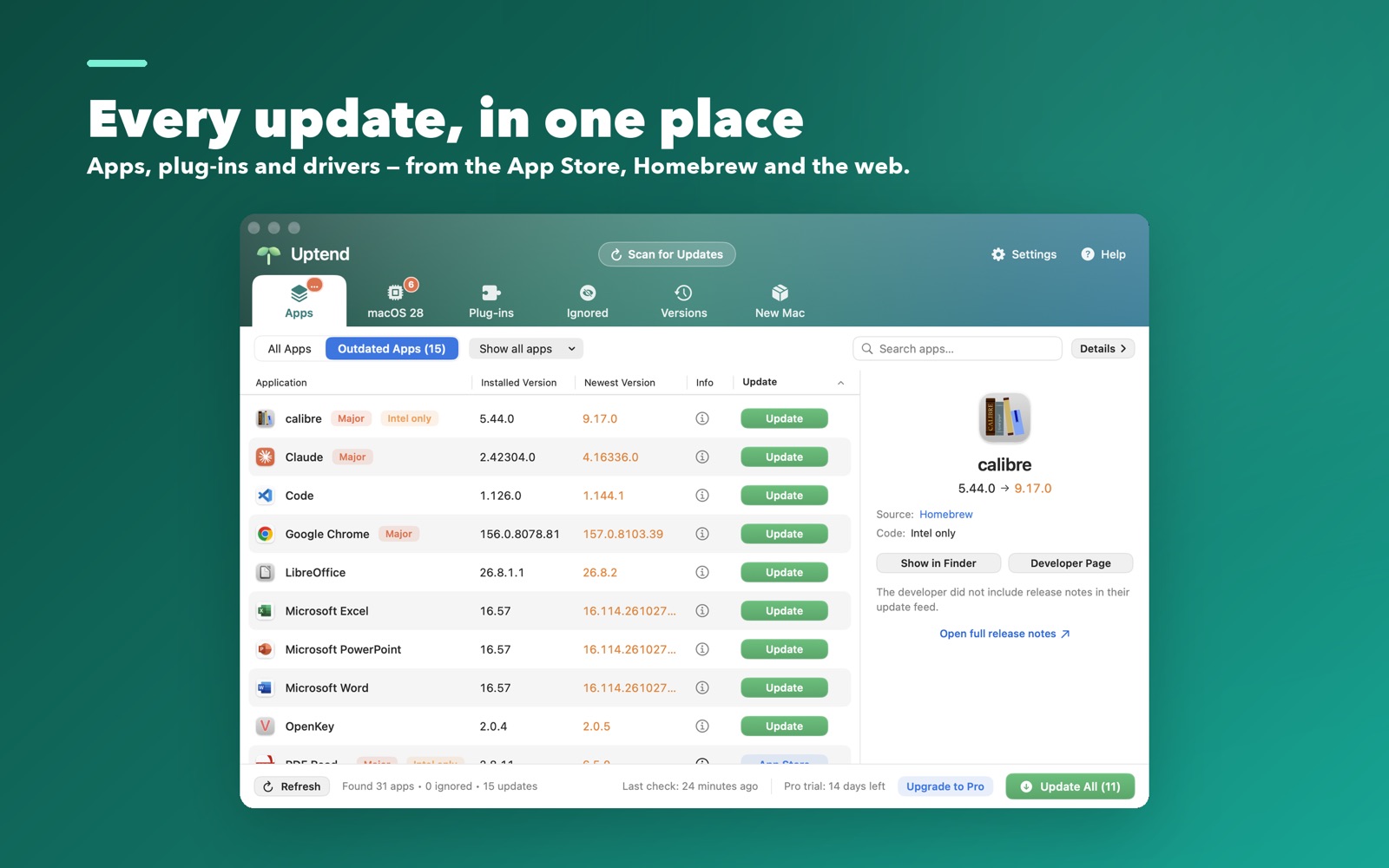
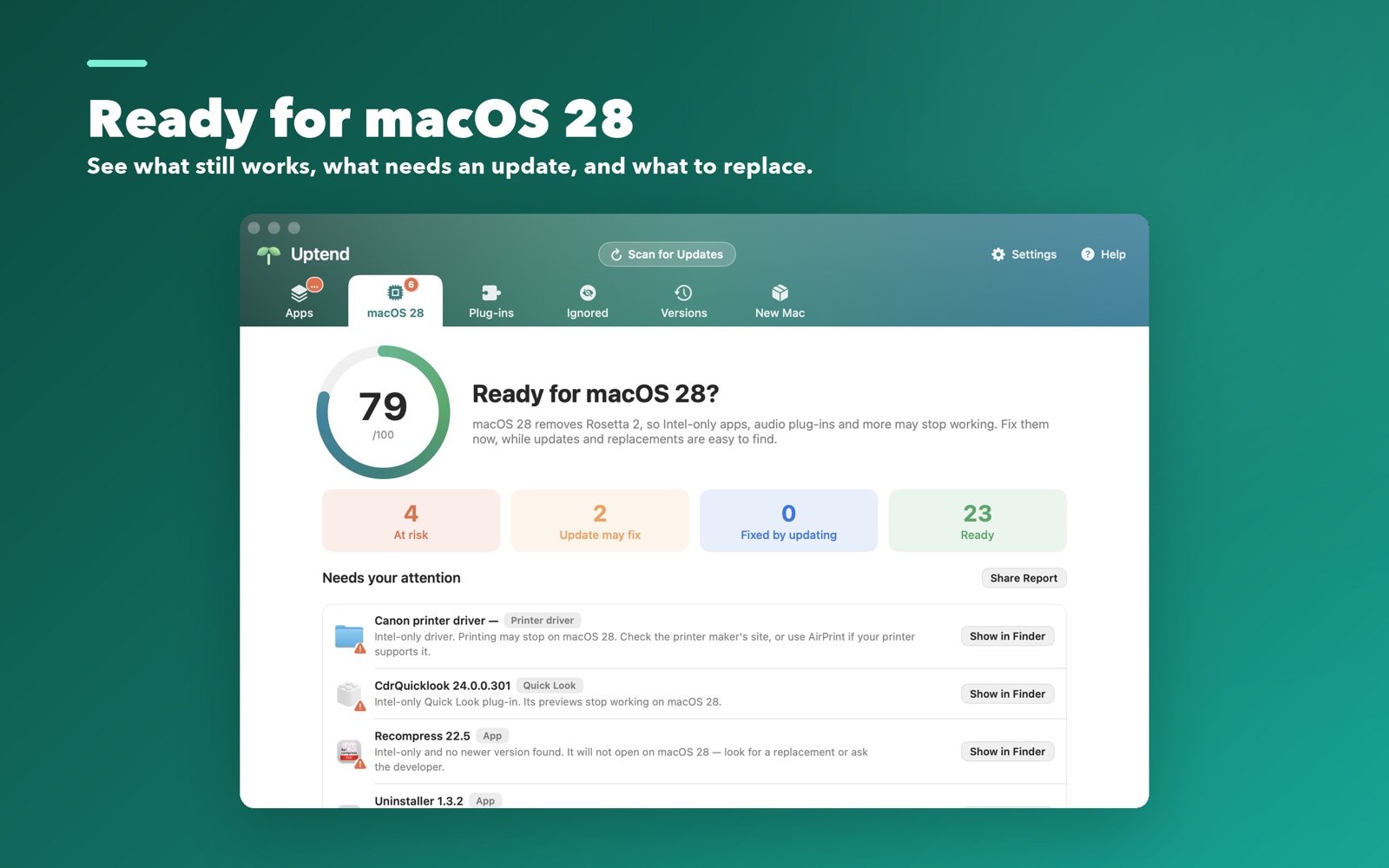
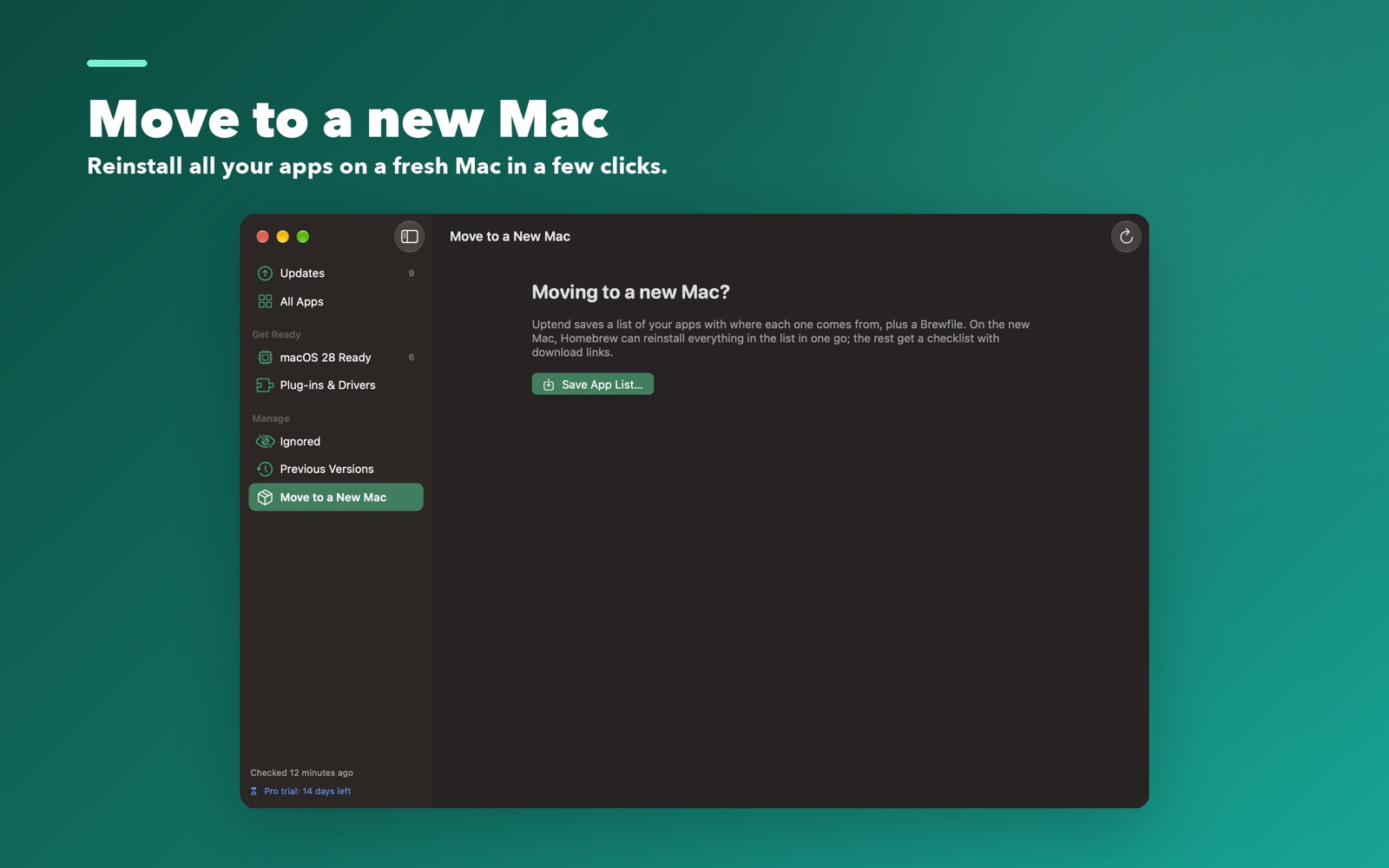
Not just the App Store. Uptend knows apps you downloaded directly, installed with Homebrew, or got from the Mac App Store — and watches each one's own release feed.
A single score tells you which apps, plug-ins and drivers are ready for the next macOS, and which (often Intel-only tools) will need attention — before you upgrade.
Uptend summarises what changed in an update and translates it into your language, so you know what you're installing.
Download and install an update — or all of them — with a click. Uptend keeps the previous version for a week in case you want to roll back.
Let Uptend install updates quietly in the background on a schedule you choose. Turn it off any time.
Export your app list and reinstall everything on a new Mac from Homebrew, the App Store and the developers' own pages.
$0forever
$9.99/ year
A real subscription, cancel any time. When it ends, Uptend simply turns off the Pro parts — the free features keep working and nothing is locked away.
A signed, notarized app for macOS. No account needed to scan.
Download Uptend.dmgVerified by Apple (notarized). Open the DMG and drag Uptend to Applications.
Yes. Scanning, update alerts, the macOS 28 report and uninstalling are free forever, with no account. Pro adds installing updates for you, translated release notes and moving to a new Mac.
No app lists, file names, account names or e-mail ever leave your Mac. Once a week Uptend sends one anonymous ping — only one-way hashed IDs and the app version — so we can count installs and spot a licence shared across far too many Macs. You can turn it off in Settings. See our privacy policy.
Uptend turns off the Pro features and keeps every free feature working. Nothing you created is locked or deleted.
App Store sandbox rules stop an app from updating other apps. Uptend is sold directly so it can do its job, and it's signed and notarized by Apple for safety.